Peony
 4.8/5
4.9/5
4.9/5
4.8/5
4.9/5
4.9/5
About Peony Virtual Data Rooms
Peony is a virtual data room built for M&A advisors, independent sponsors, private equity and venture capital funds, real estate teams, law firms, and startups. It combines document storage, granular access permissions, page-level analytics, built-in e-signatures, and AI-powered document Q&A in a single platform, positioning itself as a lower-cost, faster-to-set-up alternative to legacy virtual data room providers.
Peony is used primarily for fundraising and investor updates, M&A sell-side and buy-side due diligence, LP reporting for private equity and venture funds, real estate transactions, and secure sharing of legal and financial documents.
What is Peony used for?
According to Peony’s own site, common use cases include M&A advisors setting up sell-side data rooms for buyer diligence, private equity funds running LP fundraises and continuation-vehicle processes, venture capital funds managing portfolio and LP communications, startups sharing pitch decks and tracking investor engagement, law firms managing NDA workflows and document production, and sales teams sharing proposals with engagement tracking. Peony states it is used by 5,900+ teams (a figure that appears elsewhere on the same site as “6,800+ teams,” a discrepancy addressed further below), including Y Combinator-backed startups, boutique M&A advisory firms, and biotech companies.
Alternatives to consider



Document security features
Every Peony plan includes AES-256 encryption at rest and TLS 1.3 encryption in transit, two-factor authentication, password protection, and link expiration dates. Paid plans add layered controls depending on tier:
- NDA-gated access. Recipients must digitally sign a non-disclosure agreement before viewing or downloading files, with attorney-approved templates available.
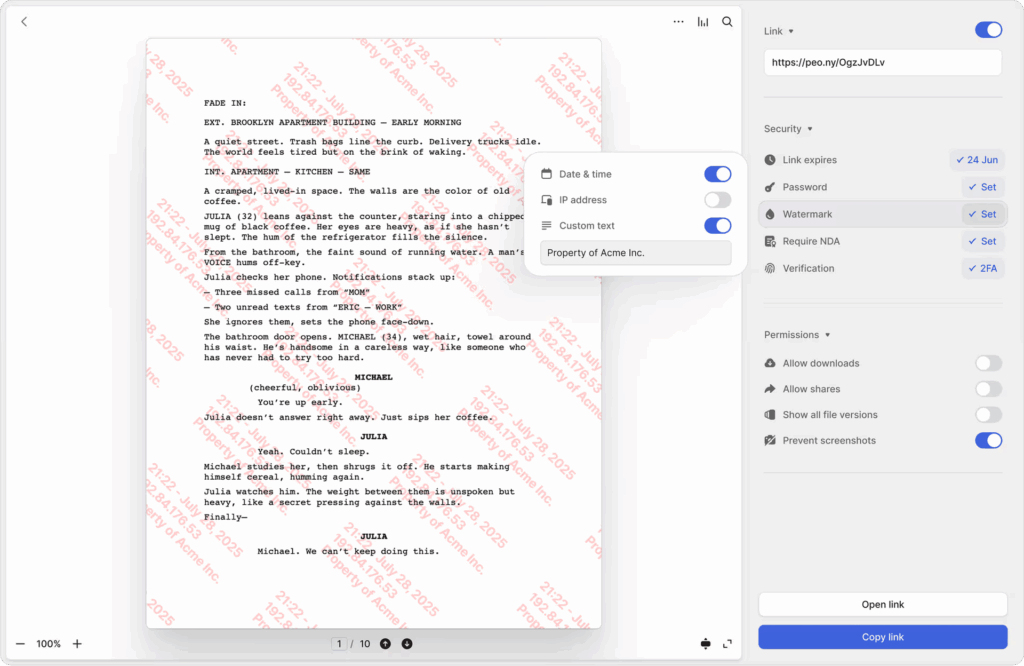
- Dynamic watermarking. Files are stamped with the viewer’s identity, timestamp, or company brand to deter unauthorized redistribution, available starting on the Data Room plan.
- Screenshot protection. Blocks screen captures and recording tools on sensitive documents, available starting on the Business plan.
- Granular permissions. Access can be set at the file, folder, or page level, with allow/block lists by domain, email, or IP.
- Redaction. Peony’s own site describes this feature inconsistently: one homepage summary lists redaction as a Business-plan feature, while multiple detailed FAQ answers describe “controlled redaction” and “Advanced Redaction” as a Deal Team-plan feature (the $64/admin/month tier). This is a real discrepancy on Peony’s own site rather than an oversimplification, and it should be confirmed directly with Peony before assuming which plan includes it.
- Full audit trails. Every view, download, and access attempt is logged with timestamps, IP addresses, and device details, on every plan.
Analytics and diligence tracking
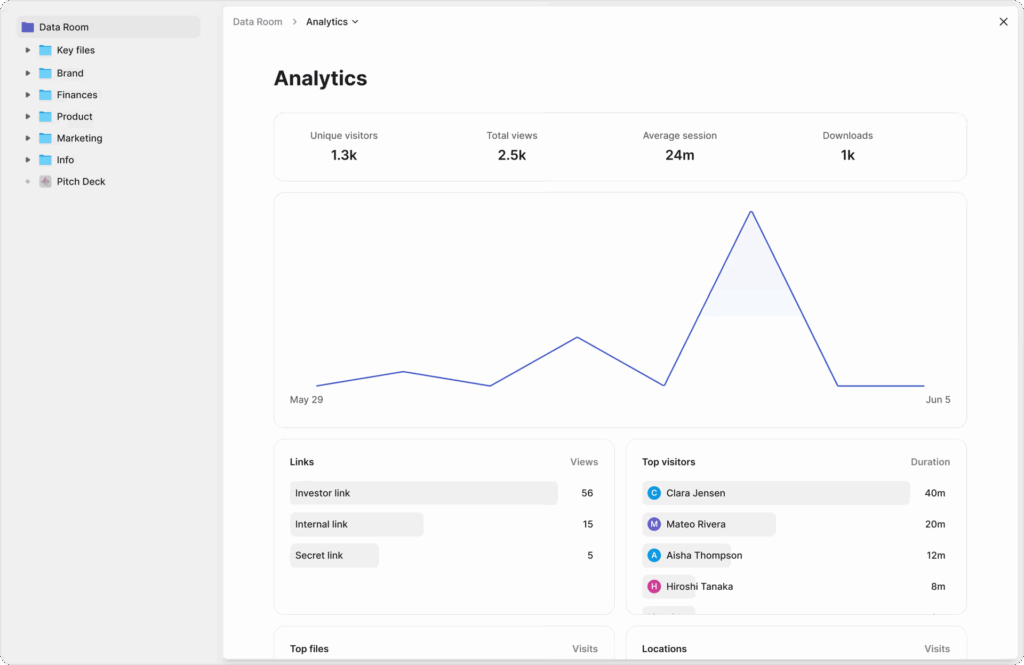
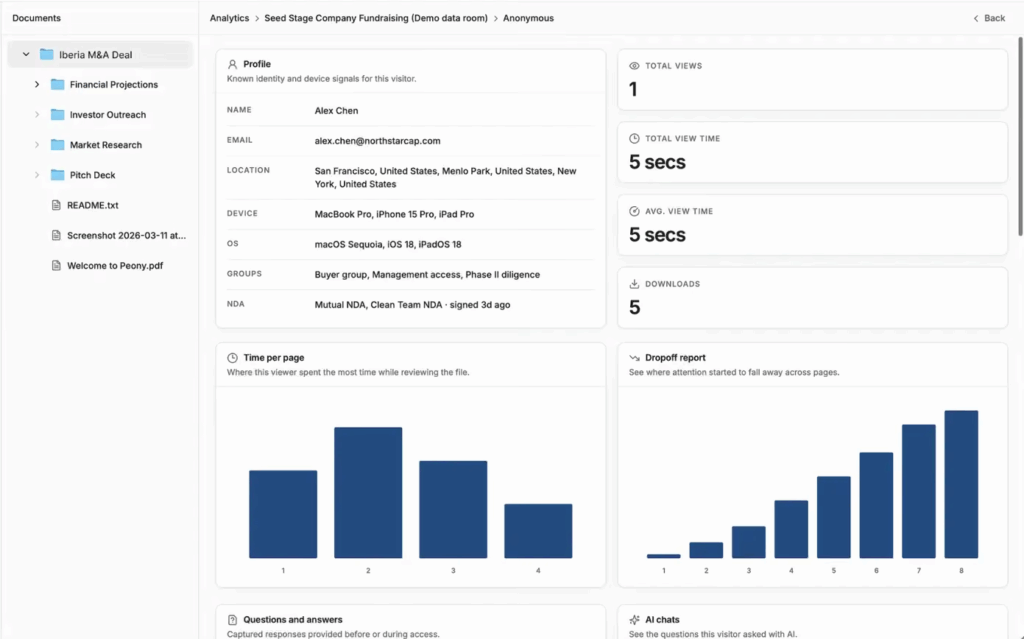
Peony’s page-level analytics track which viewer opened which file, how long they spent on each page, where they dropped off, and which device they used, with real-time email notifications when a viewer enters a room. Peony states this tracking is available even on its Free plan, with dropoff reports, visitor location, and multi-file analytics added on the Business plan and higher.
E-signatures
Peony includes legally binding e-signatures inside the data room itself, intended to remove the need for a separate tool such as DocuSign. AI auto-markup detects signature and date fields on uploaded agreements, and attorney-approved templates are available for NDAs and other standard documents, with full audit trails on every signature. Peony states e-signatures are included starting on the Business plan.
AI-powered Q&A
Peony’s AI features let viewers ask natural-language questions and receive answers sourced from data room documents, with cited page numbers. A structured Q&A workflow lets a deal team review and approve AI-drafted answers before they are sent to counterparties, rather than publishing AI answers automatically. Peony states this is included starting on the Business plan and expands with more workflow controls on higher tiers.
Customer support
Peony advertises 24/7 support with a stated goal of responding “within minutes,” delivered by a small team distributed across the US, Europe, and Asia-Pacific according to its About page. Third-party software directories (Capterra, GetApp, Software Advice) list Peony’s support channels as email/help desk, phone support, live chat, and a knowledge base. Given that Peony’s own About page describes only two named founders leading the company, buyers evaluating support scalability for larger, higher-volume deal flow may want to confirm staffing and response-time commitments directly with Peony rather than relying solely on the “within minutes” claim.
Additional features
One feature that distinguishes Peony from other virtual data room providers is its live AI artifact viewer. Rather than converting an interactive Claude- or GPT-generated financial model, dashboard, or calculator into a static PDF, Peony renders the underlying HTML and JavaScript so the artifact still runs for the person viewing it, while wrapping it in the same watermarking, NDA gating, and page analytics used for regular documents. Peony also offers a Model Context Protocol (MCP) integration that lets a user push an AI-generated artifact directly into a data room from inside an AI chat interface.
Peony pros & cons
Based on verified user reviews on Capterra, GetApp, and Software Advice, Peony has the following pros and cons:
Pros
- Intuitive, modern interface that reviewers repeatedly describe as easy to set up without training
- Fast, founder-accessible customer support (several reviewers specifically credit co-founders Deqian Jia and Sean Yu by name)
- Strong perceived value for money, with multiple reviewers citing it as meaningfully cheaper than DocSend or Ideals
- Granular permissions and user grouping without requiring separate folder structures
- Real, usable analytics and viewer tracking, including for prospective investors and buyers
Cons
- No dedicated native mobile app, according to at least one verified reviewer, despite mobile browser access being listed on third-party directories
- Pricing and feature gating between plans is described by more than one reviewer as unclear upfront, particularly around AI credit limits and which security features sit on which tier
- Limited white-labeling/customization options compared with legacy enterprise VDRs
- As a newer platform (founded 2021, data room product built out from 2023), it lacks some of the deeper workflow and audit-log maturity that a few reviewers say they were hoping for
Pricing plans
Peony’s currently published pricing is:
- Free ($0/month)
- Business ($30/admin/month)
- Data Room ($52/admin/month, described by Peony as its most popular plan)
- Deal Team ($64/admin/month, minimum 4 admins)
- Enterprise (custom pricing, including options such as self-hosting and custom data residency).