No time to read? Get a quick AI summary
Onehub is a cloud-based platform for secure file storage, sharing, and collaboration. The solution provides tools for managing sensitive documents, controlling user access, and organizing sensitive information in virtual data rooms. Specifically, users can customize client portals, apply precise permission levels, and track activity through audit trails.
Ohehub is used across industries, including energy, entertainment, financial, healthcare, and legal, supporting teams of all sizes with secure, organized, and flexible document management.
Despite its strengths, some users look for alternatives to meet specific needs. Next, we’ll explore why and compare Onehub with top competitors.
Why consider alternatives to Onehub?
Regarding Onehub pricing, some users note that costs vary between accounts created at different times, making it inconvenient to pay different rates for the same product across multiple companies. Others mention additional costs for custom branding, which may be a drawback for teams needing a fully branded workspace.
As for other drawbacks highlighted in the latest reviews on G2, users note that it takes time to understand all the software’s functions, the mobile app feels less intuitive than the web version, and the documentation for learning the platform is limited.
Note: As of 2025, there are no fresh Onehub user reviews available on major trusted software review platforms, such as G2 and Capterra. Therefore, the insights provided above are based on the earlier reviews. For all alternative solutions outlined below, you will see only the latest user feedback from this year.
Key competitors of Onehub for secure file sharing and collaboration
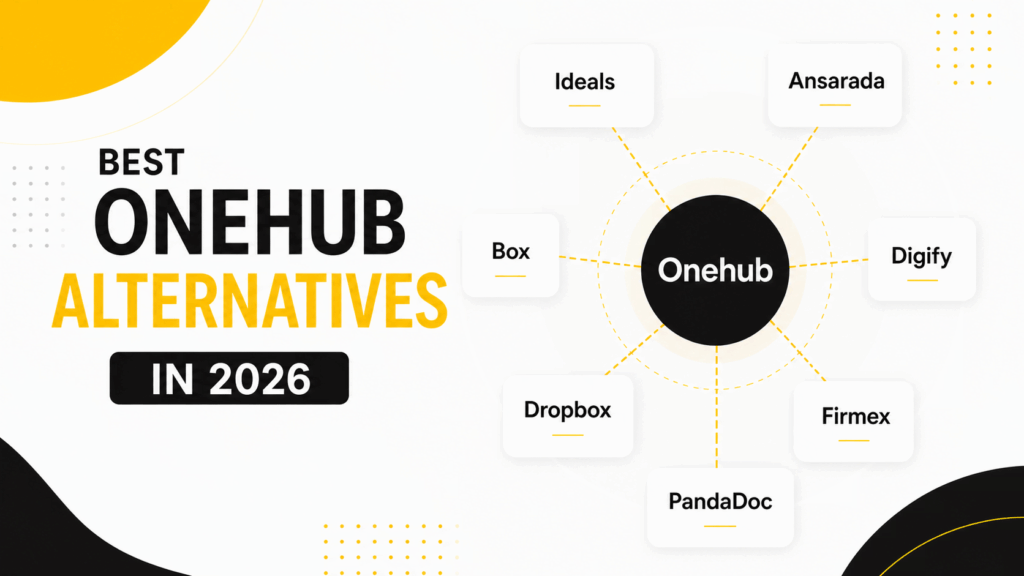
Examine the top Onehub alternatives, checking user ratings, use cases, core features a reliable modern VDR should have, virtual data room price models, and the main advantages and drawbacks of each platform. This overview can help you gauge which solution offers the best fit for your needs.
Note: G2 and UpGuard ratings cited below reflect data as of November 2025.
Quick Onehub review
- G2 rating: 4.2 (45 reviews)
- UpGuard rating: 727 / 950
Common use cases
- Client portal
- File sharing portal
- Data room
- FTP alternatives
- Online data storage
- Remote work
Key features
✅ 7-level granular access permissions
✖️Screenshot prevention
✖️Built-in redaction
✖️Full-text search OCR
✖️Spreadsheet viewer with formulas
✅ Session timeout
✖️Advanced Q&A with auto question assignment
✖️Due diligence checklist
✅ E-signature (DocuSign integration)
Onehub pricing overview
| Plan | Starting users(paid) | Additional user cost | Total users | Workspaces | Cloud storage |
| Standard | 3 | $12.50 per user | 200 | 50 | 1 TB |
| Advanced | 5 | $20 per user | 1,000 | 200 | Unlimited |
| Data Room Edition | 5 | $20 per user | 1,000 | 200 | Unlimited |
| Enterprise Edition | Unlimited | No additional cost | Unlimited | Unlimited | Unlimited |
Additional resources: Check our Onehub review to learn more about this provider.
1. Ideals
- G2 rating: 4.7 (711 reviews)
- UpGuard rating: 947 / 950
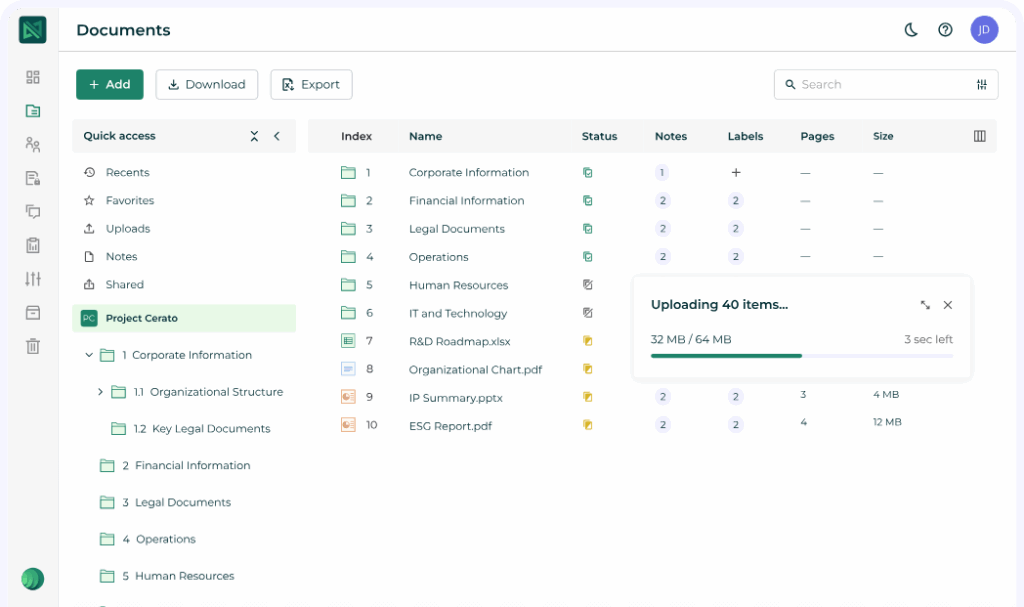
Ideals VDR combines secure data room services with advanced workflow management tools, enabling businesses to streamline workflows and close transactions faster. Trusted by over 2 million professionals globally as one of the best software solutions, it offers effortless setup through an award-winning interface, detailed project management with 8 permission levels, and robust reporting features designed for complete oversight.
Common use cases
- Financial services:
M&A sell-side
M&A buy-side
M&A advisor
Fundraising
- Life sciences
- Real estate
Key features
✅ 8-level granular access permissions
✅ Screenshot prevention
✅ Built-in redaction
✅ Full-text search with OCR
✅ Spreadsheet viewer with formulas
✅ Session timeout
✅ Advanced Q&A with auto question assignment
✅ Due diligence checklist
✅ E-signature
Ideals pricing overview
| Plan | Best for | Project limits | Admins | Users | Storage |
| Core | Small to medium deals | Single project | Up to 5 admins | Unlimited | 0.5–2 GB |
| Premier | High-stakes and complex transactions | Single project | Unlimited | Unlimited | Tailored |
| Enterprise | High-volume deal pipelines | Unlimited projects | Unlimited | Unlimited | Tailored |
Users find Ideals pricing logical and competitive. In particular, they appreciate that costs are based on data space rather than the number of projects, which makes budgeting predictable. Others note that the pricing compares favorably to alternatives offering the same features.
Pros
- Intuitive user interface
- Secure file sharing tools
- Granular access control
- Fast and stable performance
- Responsive 24/7 support
- Flexible pricing
- Advanced Q&A tools
Cons
- User permission management can be cumbersome
2. Ansarada
- G2 rating: 4.5 (223 reviews)
- UpGuard rating: 807 / 950
Ansarada is a secure SaaS platform trusted in over 170 countries for managing critical projects such as M&A, capital raising, restructures, audits, and infrastructure procurement. This virtual data room combines advanced data protection, secure business collaboration, and AI-driven insights to simplify the deal lifecycle.
Common use cases
- Sell-side M&A
- Buy-side M&A
- Capital raising
- IPO
- Insolvency and restructuring
- Strategic review

Key features
✅ 5-level granular access permissions
✖️Screenshot prevention
✅ Built-in redaction
✖️Full-text search with OCR
✅ Spreadsheet viewer with formulas
✅ Session timeout
✅ Advanced Q&A with auto question assignment
✅ Due diligence checklist
✖️E-signature
Additional resources: Explore the best private equity data room solutions.
Ansarada pricing overview
| Storage tier | Deal size fit | Monthly | 3 months (quick deals) | 6 months (most deals) | 12 months (best for total certainty) |
| 250 MB | Small and simple deals | $479 | $374 | $329 | $244 |
| 1 GB | Small to mid-sized deals | $1,479 | $1,134 | $959 | $699 |
| 2 GB | Mid to large-sized deals | $2,044 | $1,574 | $1,319 | $979 |
| 3 GB | Mid to large-sized deals | $2,434 | $1,864 | $1,574 | $1,154 |
| 4 GB | Large and complex deals | $2,824 | $2,264 | $1,829 | $1,339 |
Note: Ansarada also allows upgrading to data room capacities of 5–20 GB for larger transactions.
Some users appreciate that the platform combines a strong set of features with competitive pricing, offering flexibility to tailor the VDR to different deal requirements and delivering good value for the capabilities provided. Others feel that the pricing is less competitive compared with other VDR providers, especially for smaller or simpler deals.
Pros
- User-friendly interface
- Easy navigation for all parties
- Responsive and helpful customer support
- Strong client engagement throughout projects
- Comprehensive feature set
- Reliable performance and global support
Cons
- Considered expensive compared with other VDRs
- Slow performance with large data volumes and redaction tasks
- Limitations in the dataroom roles and access flexibility
- Limited customization options
3. Box
- G2 rating: 4.2 (5,109 reviews)
- UpGuard rating: 904 / 950
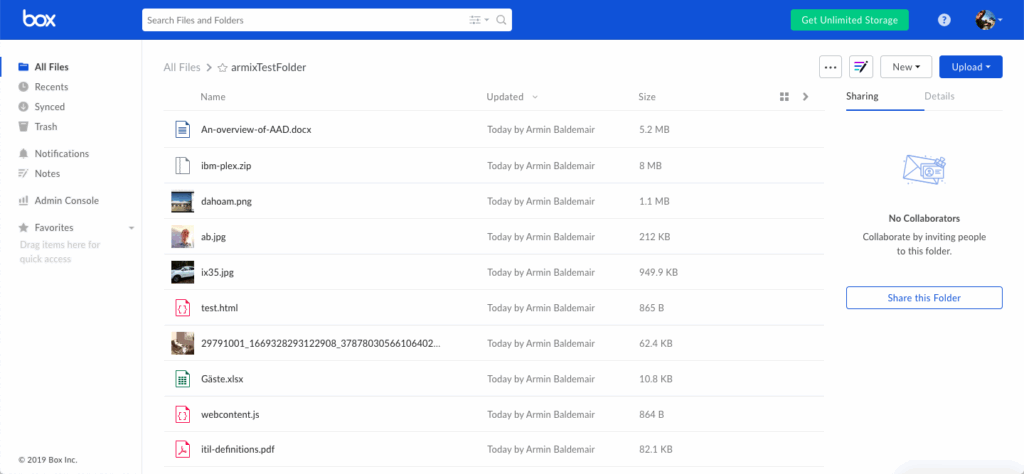
Box is an intelligent content management platform that helps organizations store, sign, and secure their content. Built for the AI-first era, it enables unlimited collaboration, advanced content protection with granular access controls, and seamless integration with over 1,400 apps.
Common use cases
- Financial services
- State and local government
- Small business
- Education
- Professional services
- Life sciences
Key features
✅ 7-level granular access permissions
✖️Screenshot prevention
✖️Built-in redaction
✖️Full-text search with OCR
✖️Spreadsheet viewer with formulas
✅ Session timeout
✖️Advanced Q&A with auto question assignment
✖️Due diligence checklist
✅ E-signature
Box pricing overview
| Plan | Best for | Storage | File upload limit | External collaborators | Price (EUR)* |
| Business | Essential team collaboration | Unlimited | 5 GB | Pay per collaborator | 18 EUR → 13.50 EUR per user/month |
| Business Plus | Content management and unlimited collaboration | Unlimited | 15 GB | Unlimited | 30 EUR → 22.50 EUR per user/month |
| Enterprise | Advanced compliance and governance | Unlimited | 50 GB | Unlimited | 42 EUR → 31.50 EUR per user/month |
| Enterprise Plus | Maximum security, advanced content management, and Box AI features | Unlimited | 150 GB | Unlimited | Contact sales |
Users note that Box can be costly for smaller teams, as key security and workflow tools are only included in higher-priced plans. Additionally, some mention that even on these high-tier plans, performance can be slower compared with rival applications.
Pros
- Intuitive interface
- Easy and secure sharing
- Strong collaboration features for teams and clients
- Secure cloud-based file sharing
- Structured data storage for organized access
- Efficient document management
Cons
- Expensive pricing model, especially for smaller teams
- Slow performance with uploads/downloads
- Syncing issues
- Weak search functionality
4. Digify
- G2 rating: 4.7 (72 reviews)
- UpGuard rating: n/a
Digify is an award-winning document security platform that lets users protect, track, and control important documents after sharing. It provides comprehensive insights and safeguards to maintain full control over sensitive files, preventing unauthorized access, downloads, and misuse.
Common use cases
- Startup fundraising
- PE and VC fundraising
- Commercial real estate
- M&A data room

Key features
✅ 8-level granular access permissions
✅Screenshot prevention
✖️Built-in redaction
✖️Full-text search with OCR
✖️Spreadsheet viewer with formulas
✖️Session timeout
✖️Advanced Q&A with auto question assignment
✖️Due diligence checklist
✖️E-signature
Digify pricing overview
| Plan | Best for | Monthly price | Users | Data rooms | Guest limit |
| Pro | Solo users managing small deals | $140 / month | 1 user | 3 data rooms | 50 guests |
| Team | Small teams running multiple projects | $350 / month | 3 users | 10 data rooms | 200 guests |
| Enterprise | Organizations requiring full scalability | Custom pricing | Custom quota | Unlimited | Custom quota |
Users note that Digify’s pricing structure goes beyond a basic subscription and can be expensive for small businesses. They also mention that the need to upgrade to access multiple data rooms is a drawback.
Pros
- Ease of use
- Smooth upload and sharing processes
- Strong security features
- Convenient access control
- Easy management of guest permissions
- Helpful support
Cons
- Unintuitive file management
- Confusing access control
- Occasional login and account authentication issues
5. Dropbox
- G2 rating: 4.4 (30,599 reviews)
- UpGuard rating: 845 / 950
Dropbox is a cloud-based platform used by millions of people worldwide to stay organized and collaborate efficiently. It allows users to keep all files in one place, work seamlessly with teammates and clients, and maintain data security with their favorite tools integrated.
Common use cases
- Cloud storage for business
- Large file transfers
- Video reviews
- Document signing
- File sharing
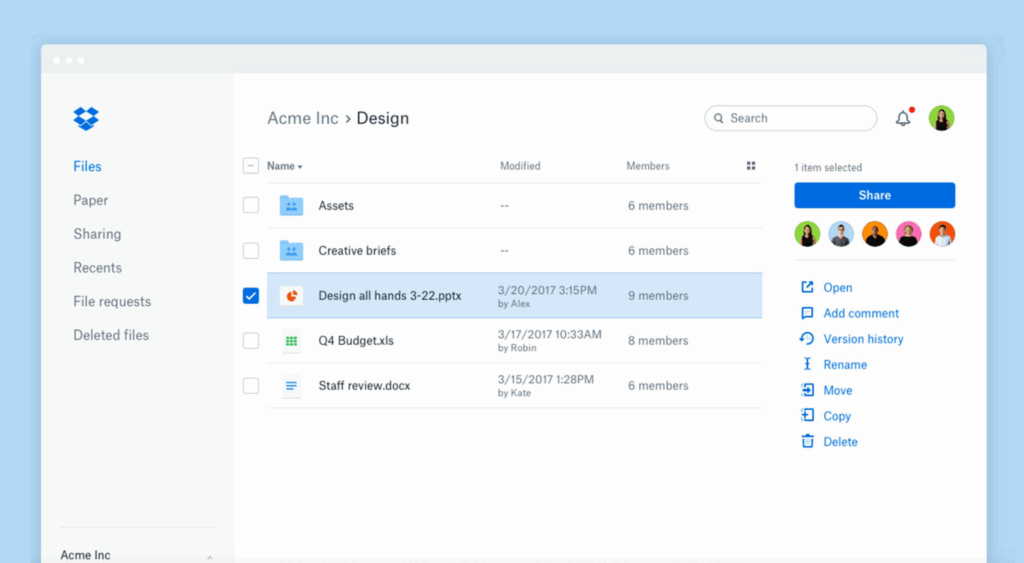
Dropbox interface
Key features
✅ 8-level granular access permissions
✖️Screenshot prevention
✖️Built-in redaction
✅ Full-text search with OCR
✖️Spreadsheet viewer with formulas
✖️Session timeout
✖️Advanced Q&A with auto question assignment
✖️Due diligence checklist
✅ E-signature
Dropbox pricing overview
| Plan | Best for | Price | Users | Storage | Key value |
| Plus | Individual users needing secure storage | $9.99 / month | 1 user | 2 TB | Affordable cloud backup and file syncing |
| Professional | Freelancers and solo professionals | $16.58 / month | 1 user | 3 TB | More space + advanced productivity tools |
| Standard | Small teams requiring centralized storage | $15 / user/month | 3+ users | 5 TB (shared) | Team collaboration with admin controls |
| Advanced | Larger teams needing scalable storage | $24 / user/month | 3+ users | Starts at 15 TB (shared) | High-capacity storage + advanced admin and security features |
Users note that Dropbox’s storage upgrades can get pricey, especially when managing multiple accounts or large media projects. Some also mention that the number of features in the standard and pro tiers feels slightly limited compared to competitors offering more collaborative tools at similar price points.
Pros
- Straightforward and accessible for daily file management
- Simple and fast file sharing
- Easy access to files from anywhere
- Cross-platform accessibility for smooth switching across devices
Cons
- Expensive, especially for smaller storage tiers
- Limited storage options on free and lower-tier accounts
- High costs for additional features and storage
- Syncing issues with larger folders
Additional resources: Dropbox vs ShareFile virtual data room comparison
6. Firmex
- G2 rating: 4.6 (91 reviews)
- UpGuard rating: 874 / 950
Firmex is a robust platform serving over 180 countries and supporting more than 189,000 completed projects. It offers certified data room security, advanced document control, and customizable user permissions to help organizations manage sensitive information safely.
Common use cases
- Sell-side M&A
- Buy-side M&A
- Licensing and joint venture
- Restructuring
- Financing
- Client extranets
Key features
✅ 6-level granular access permissions
✖️ Screenshot prevention
✅ Built-in redaction
✅ Full-text search with OCR
✅ Spreadsheet viewer with formulas
✖️ Session timeout
✖️ Advanced Q&A with auto question assignment
✅ Due diligence checklist
✖️ E-signature
Firmex pricing overview
| Plan | Best for | Projects | Access duration | Pricing model | Key value |
| Single Project Data Room | Companies completing a one-off deal or transaction | 1 project | Fixed time frame | Price determined by project length + data requirements | Ideal for single M&A, fundraising, or compliance events |
| Data Room by Subscription | Organizations handling multiple deals per year | Unlimited projects | Always-on access | Price determined by annual data usage | Scalable option for ongoing M&A, PE, or compliance workflows |
Users describe Firmex as a secure data room offered at a reasonable price. Though others note that the cost of the data room is steep.
Pros
- Easy navigation and document management
- Strong security features
- Responsive customer support
- Quick setup
Cons
- Difficult permission management
- Expensive, especially with multiple mandates and large data volumes
- Feature limitations compared to other VDRs
- Occasional slow downloads and file transfer issues
Additional resources: Explore the most suitable data rooms for law firms.
7. PandaDoc
- G2 rating: 4.7 (3,221 reviews)
- UpGuard rating: 663 / 950
PandaDoc supports over 50,000 customers in creating, managing, e-signing, and notarizing documents with ease. Its centralized digital workflow platform reduces inefficiencies and helps teams boost productivity.
Common use cases
- E-signatures
- Proposals
- Quotes
- Payments

Key features
✅ 5-level granular access permissions
✖️ Screenshot prevention
✖️ Built-in redaction
✅ Full-text search (for text-based docs only)
✖️ Spreadsheet viewer with formulas
✖️ Session timeout
✖️ Advanced Q&A with auto question assignment
✖️ Due diligence checklist
✅ E-signature
PandaDoc pricing overview
| Plan | Best for | Price | Users | Storage | Key value |
| Free | Small businesses needing professional eSign | $0 / month | Unlimited seats | Unlimited | Includes 60 documents free per year |
| Starter | Quickly creating and signing forms and agreements | $19 / seat/month | Unlimited | Unlimited | Unlimited document uploads and e-signatures |
| Business | Sales proposals and integrated agreement workflows | $49 / seat/month | Unlimited | Unlimited | Full workflow capabilities for document management |
| Enterprise | End-to-end document workflows and advanced automations | Custom | Unlimited | Unlimited | Advanced features with per-seat or per-document pricing |
Users say that PandaDoc’s pricing could be improved, particularly for accessing advanced features or higher-tier plans. Others mention that the price has increased over the years
Pros
- Intuitive interface
- Streamlined client interactions
- Efficient document updates and template management
- User-friendly e-signature features
- Easy document management, tracking, and sending
Cons
- Signature issues, particularly personal signature accessibility and mobile experience
- Missing or limited features, including catalog and editing options
- High cost relative to perceived value
- Difficulties with editing and formatting
- Limited customization options for templates
Cost comparison: Onehub vs. competitors
The summaries below give a quick snapshot of how Onehub stacks up against each alternative in terms of pricing.
- Onehub vs Ideals. Onehub charges per user, while Ideals bases pricing on data space. For teams managing multiple projects or high-volume data, Ideals’ model can be more predictable, whereas Onehub is simpler for general team use.
- Onehub vs Ansarada. Ansarada’s pricing depends on data room size and subscription term, which may be more expensive for short-term or smaller deals. Onehub’s per-user tiers make costs easier to estimate and scale with team size.
- Onehub vs Box. Box uses per-user plans with tiered storage, which can become costly for small teams needing advanced features. Onehub provides more straightforward, scalable pricing for businesses of all sizes.
- Onehub vs Digify. Digify’s monthly plans grow with the number of users and data rooms, making costs higher for teams that require multiple data rooms. Onehub keeps pricing simple and predictable, regardless of project count.
- Onehub vs Dropbox. Dropbox enterprise file sharing software charges per user with varying storage tiers, and storage upgrades increase costs. Onehub’s per-user model allows for easier budgeting for teams needing larger workspaces.
- Onehub vs Firmex. Firmex pricing is based on project scope or annual data usage, which can lead to higher costs for multiple or ongoing projects. Onehub offers a consistent per-user structure, making expenses more predictable.
- Onehub vs PandaDoc. PandaDoc charges per seat for document workflows and e-signatures, which can add up for teams needing advanced features. Onehub provides general collaboration and secure file management at stable, per-user rates.
Overall, businesses should consider scalability, hidden fees for extra users or storage, and contract flexibility when choosing between Onehub and its competitors. Onehub’s per-user model provides straightforward budgeting, while some alternatives offer more feature-specific or usage-based pricing that may better fit complex or high-volume projects.
Key takeaways
- Onehub provides secure cloud storage, flexible permissions, virtual data rooms, and branded client portals, making it a solid choice for online document collaboration across various industries.
- Some users may find pricing inconsistencies, a learning curve for advanced features, and a less intuitive mobile experience as drawbacks of Onehub.
- Onehub competitors like Ideals, Ansarada, Box, Digify, Dropbox, Firmex, and PandaDoc offer specialized features such as granular access, workflow automation, and enhanced security that may better fit specific needs.
- While Onehub is well-suited for general secure collaboration, businesses handling complex deals, large-scale projects, or requiring advanced workflow tools may benefit from exploring alternative solutions.