FirmRoom
 4.6/5
4.6/5
4.6/5
4.6/5
4.6/5
4.6/5
About FirmRoom Virtual Data Room
FirmRoom is a virtual data room built by DealRoom, a Chicago-based M&A software company founded in 2012 by Kison Patel. FirmRoom was spun out in 2018 as a self-serve, flat-rate data room product, positioned as an alternative to the per-page and per-user pricing models used by many legacy virtual data room providers. FirmRoom is used primarily for M&A due diligence, capital raising, real estate transactions, and other secure document-sharing needs across investment banking, private equity, corporate development, legal, and healthcare teams.
What is FirmRoom used for?
Common use cases include M&A due diligence and deal management, private equity portfolio and deal workflows, venture capital fundraising, investment banking deal execution, startup capital raising, healthcare and life sciences document sharing, legal and compliance document review, and general secure file sharing for teams that want to avoid per-page VDR pricing. FirmRoom states it is designed to be self-serve: teams can sign up, upload documents, and invite users without a sales call.
Alternatives to consider





Document security features
Every FirmRoom plan includes the same security and permission features regardless of storage tier, according to FirmRoom’s current pricing page:
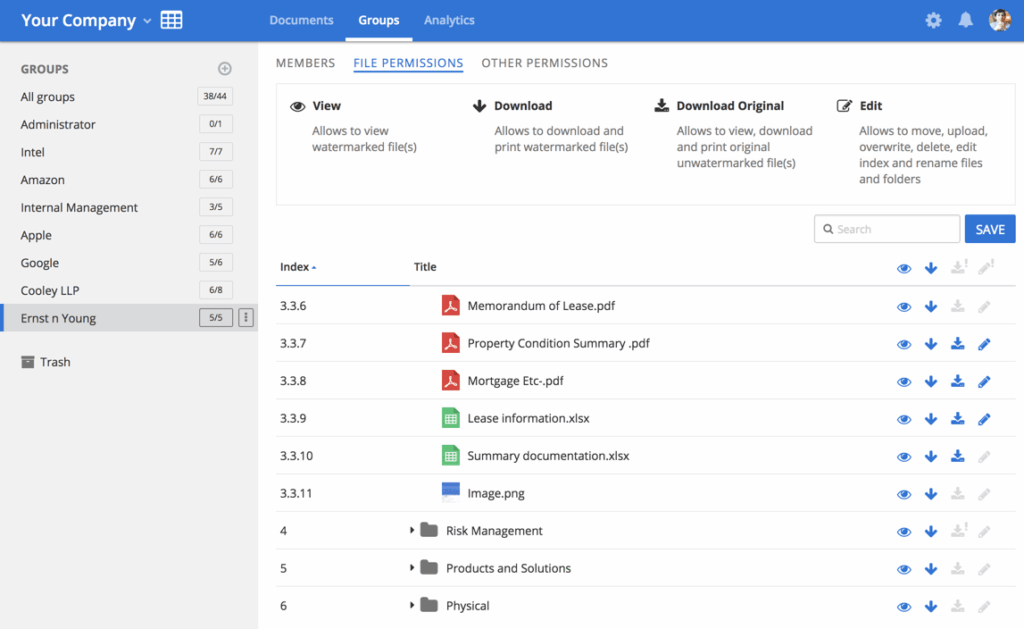
- Granular permissions. Four access levels let admins control who can view, download, or watermark each document or folder.
- NDA workflow. Recipients can be required to accept an NDA before gaining access, with the NDA itself customizable per data room.
- Dynamic and static watermarking. Files can be watermarked with viewer-identifying details to deter leaks.
- Basic redaction. FirmRoom’s current pricing page describes this as “basic redaction,” a lighter-weight version of the redaction tools found on some enterprise VDR competitors.
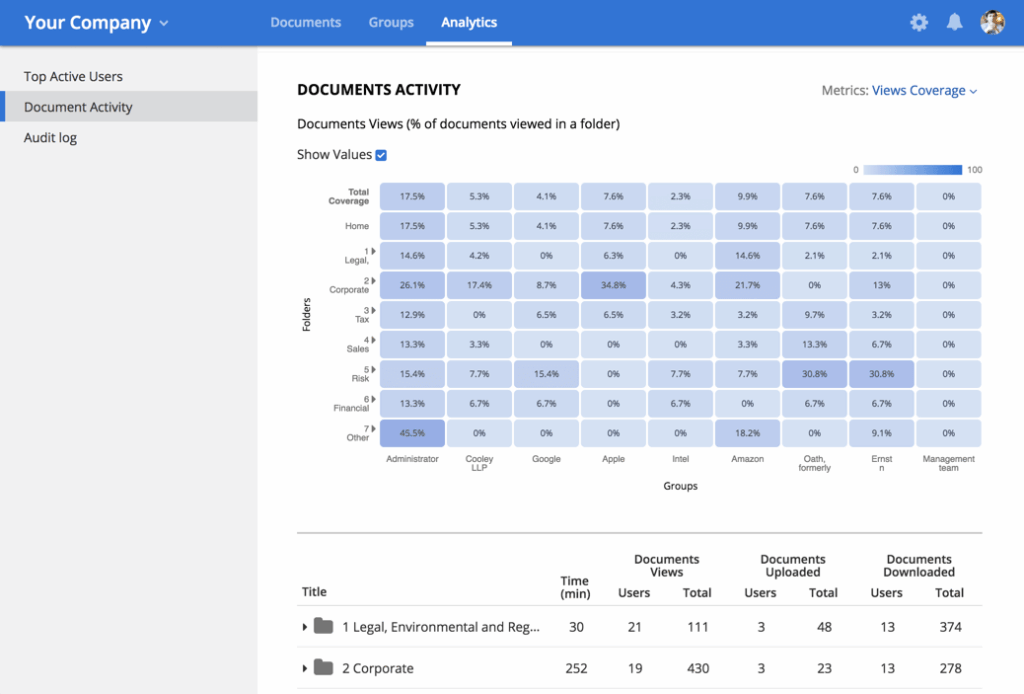
- Full audit trail and usage analytics. Every access, download, and view is logged, with document- and user-level reporting.
- Two-factor authentication, AES-256 encryption, and auto time-out for idle sessions, hosted on AWS with geographically separated data centers for disaster recovery.
- No back-end access, per FirmRoom’s own security page, meaning FirmRoom states it cannot itself view customer data rooms.
Document management and search
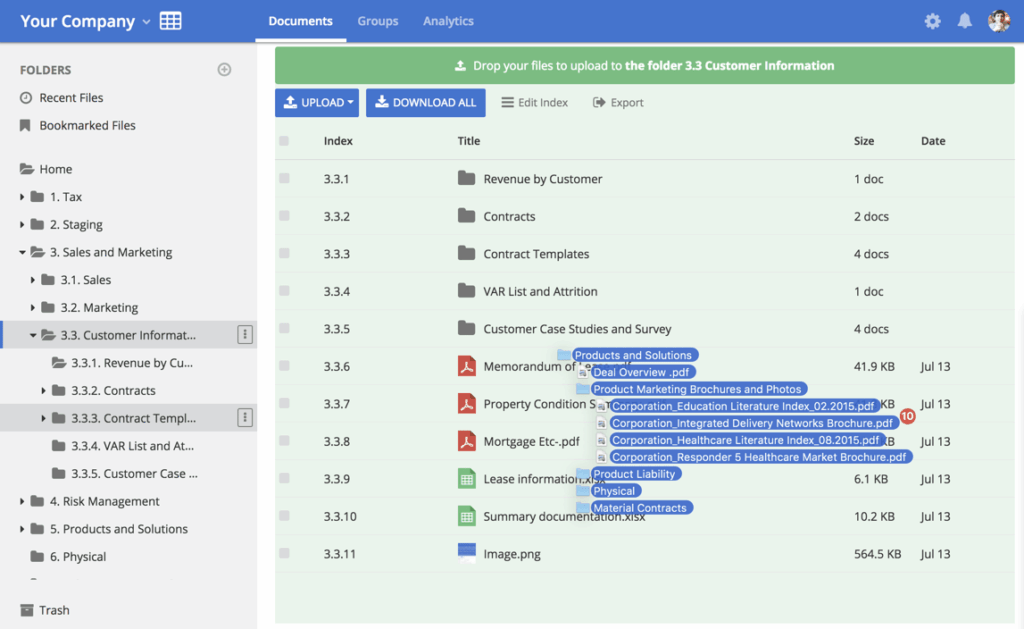
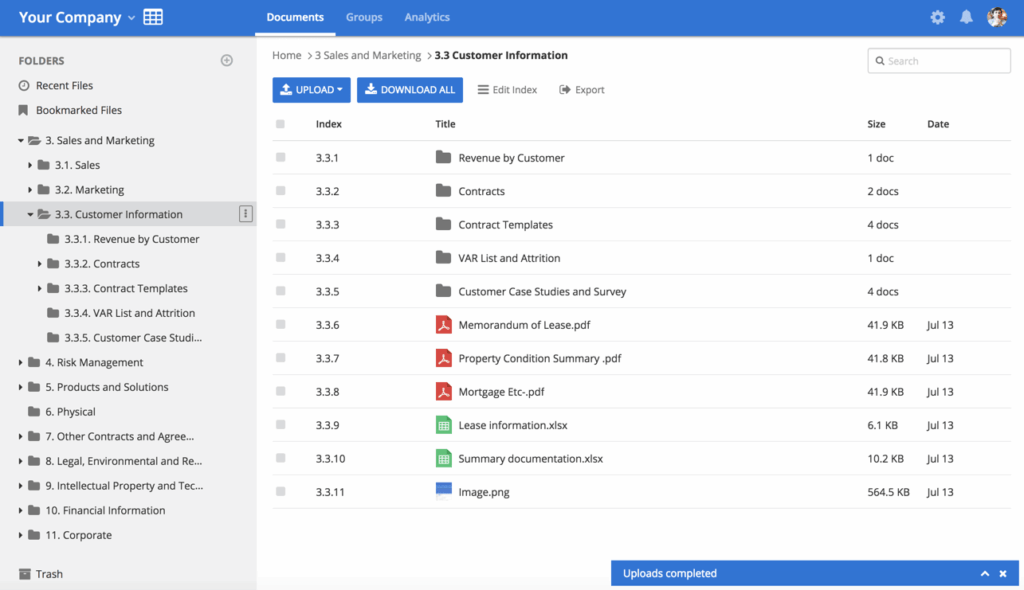
FirmRoom includes drag-and-drop bulk uploads, automatic file indexing, a built-in document viewer for previewing files without downloading them, bookmarking, bulk downloads, version control, and a data room-wide search function. Reviewers on Capterra and Software Advice generally describe the interface as intuitive, though a small number of older reviews mention friction around inviting users and around locating a full-text search feature that FirmRoom’s team has since confirmed exists.
Customer support
FirmRoom advertises support via email, live chat, and phone, and states that no sales call or onboarding is required to start a trial or a paid plan. Third-party directories (Capterra, GetApp, Software Advice) list FirmRoom’s support channels as email/help desk, phone support, live chat, and 24/7 live representative access. One recent customer quote on FirmRoom’s own pricing page describes email support response times of about 24 hours, which is worth noting as a contrast to any “24/7 live rep” characterization if fast phone response is a requirement for a buyer.
Additional features
FirmRoom’s pricing model is itself a notable differentiator: rather than charging per page, per user, or requiring an annual enterprise contract, FirmRoom’s current live pricing charges a flat monthly rate based on storage tier (2GB, 5GB, or 10GB) with unlimited users included at every tier, billed month-to-month with no long-term commitment required. Overage beyond the selected storage tier is billed at a stated $150 per GB per month, prorated daily.
FirmRoom pros & cons
It’s worth noting that the large majority of visible third-party reviews for FirmRoom, across Capterra, GetApp, and Software Advice, are dated between 2019 and 2021, with very few more recent independent reviews found during this research; this is a factual observation about review recency, not a claim about the current product’s quality.
Pros
- Consistently described as intuitive and easy to learn, including by first-time or infrequent data room users.
- Flat, transparent monthly pricing that reviewers say compares favorably to per-page legacy VDRs, especially for smaller deals and smaller client companies.
- Ability to manage different buyer or bidder groups with distinct permissions from a single data room.
- Responsive customer support, including direct vendor replies to individual reviews.
Cons
- Workflow automation and the initial user-invitation setup may involve a learning curve.
- The interface is functional, though its visual design may feel less polished than that of newer platforms.
- Overage pricing ($150/GB/month) and the need to select a paid plan during the 14-day trial could catch teams by surprise if they assumed the trial was entirely commitment-free.
Pricing plans
FirmRoom’s current, live pricing is tiered by storage rather than by user count or feature set:
- 2GB at $395/month (about 20,000 pages, positioned for capital raises and small M&A deals), 5GB at $695/month (about 50,000 pages, FirmRoom’s most popular tier, positioned for mid-sized transactions and real estate deals), and 10GB at $995/month (about 100,000 pages, positioned for large or complex projects).
- All three tiers include the same feature set: unlimited internal and external users, one data room, watermarking, granular permissions, NDA workflow, audit trail and analytics, basic redaction, and a knowledge base. Overage beyond a plan’s storage limit is billed at $150 per GB per month, prorated by day. Billing is monthly only, by credit card, with no annual contract option currently advertised.